YazSis VisionAI:Look only at the event that matters, not at hundreds of cameras.
YazSis VisionAI is a smart camera management platform designed for IP cameras in factories, warehouses and logistics sites. Scenarios such as people counting, area occupancy, zone violation and helmet/vest compliance are defined without writing code; events flow to the dashboard, to notifications and to scheduled reports. By design, footage is processed on the on-site server and only event data goes to the central system. It does not perform face recognition or identification.
In developmentThe management dashboard, API and edge agent are ready in an end-to-end working prototype (v0.1) and run on simulated data today. The live camera feed and the detection model will come into play with the first pilot facility.
6user roles: from administrator to data controller representative
10scenario templates: from zone violation to camera health
6report types: from daily area summary to executive summary
v0.1working prototype, moves to real cameras with the pilot
THE JOURNEY OF A SCENARIO
From camera to report, with the rules set up front.
Rules decide who can see what and what needs approval; a scenario does not run until it is approved.
01
Define your cameras
The facility, building and area tree is set up; cameras are added one by one or via CSV. Camera passwords are never shown in the dashboard and are stored encrypted.
02
Draw the zones
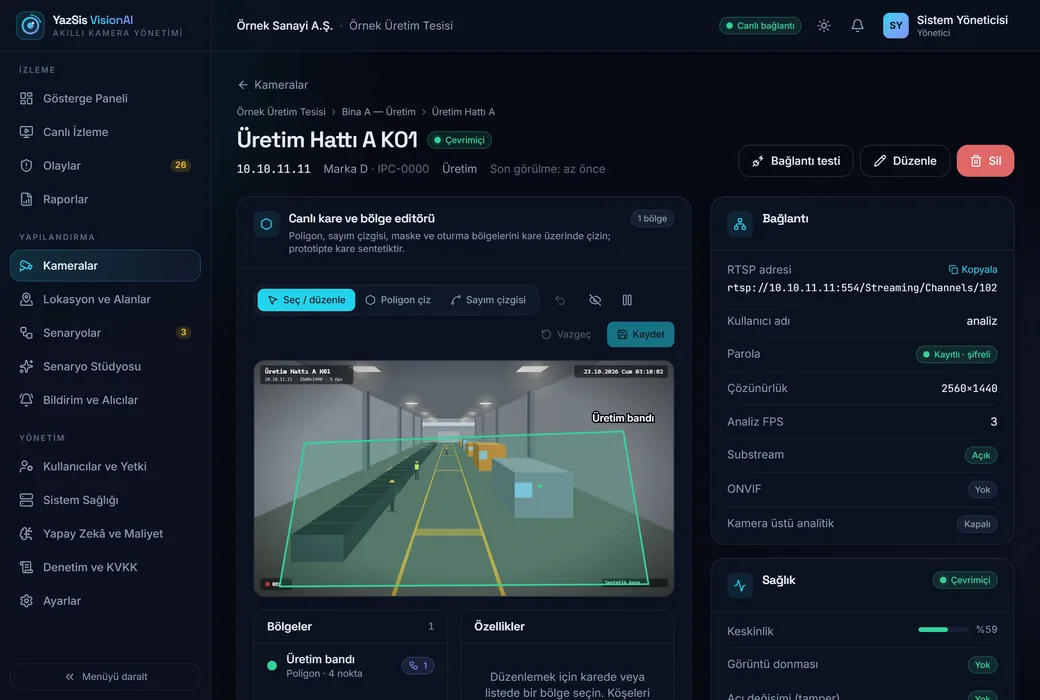
Restricted zones, counting lines, masks and seating areas are drawn on the camera frame.
03
Get the scenario approved
A scenario is built from templates and parameters, without writing code; it does not run until the data controller representative approves its purpose.
04
Analyze on site
The edge agent runs on site; it sends event and metric data, not footage, to the center, and buffers locally if the connection drops. Analysis with real cameras starts with the pilot.
05
Review and report
Uncertain events go to the review queue; reports are emailed, limited to the areas each recipient is authorized for.
FIVE PRINCIPLES
Designed for workplace safety and operations, not for surveillance.
The platform’s rules answer up front the five questions asked most often about camera analytics.
No face recognition
Face recognition, identification and cross-camera person tracking are deliberately out of scope; the scenario wizard answers such a request with a “not allowed” warning.
Purpose approval first
Every new scenario starts out pending approval; a scenario whose scope widens goes back for approval, and decisions are written to the audit log.
Footage stays on site
By design, analysis runs on the on-site server; the edge agent sends only event and metric data to the center.
People make the final call
Uncertain events go to a person for confirmation; alarms alone should not be used as grounds for disciplinary action.
Against alarm fatigue
Minimum duration, repeat cooldown, quiet hours, digest mode and escalation cut down unnecessary notifications.
WHAT IS IN THE PLATFORM
Everything that works in the prototype today, comes with the pilot, or is on the roadmap.
The badges are honest: “Working in prototype” means the feature works in the dashboard with simulated data, “Opens with pilot” means it comes into play with real cameras and installation, and “Roadmap” means it has not been developed yet.
Working in prototype
Camera and area management
Facility, building and area tree; adding cameras, bulk import via CSV, search and filtering. Camera passwords are never returned in responses and are stored encrypted.
Working in prototype
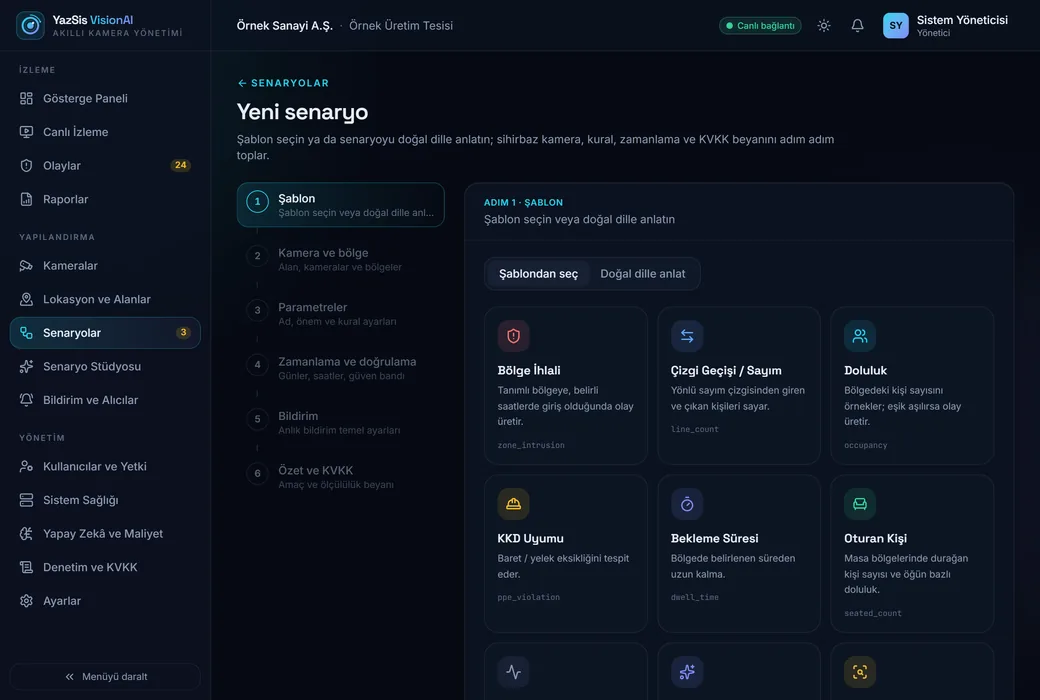
Scenarios from templates, without code
Templates for zone violation, line counting, occupancy, PPE, dwell time and camera health; a six-step wizard.
Working in prototype
KVKK approval per scenario
A new scenario waits for approval; only the data controller representative or an administrator can approve it, and it goes back for approval if its scope widens.
Working in prototype
Event feed and review queue
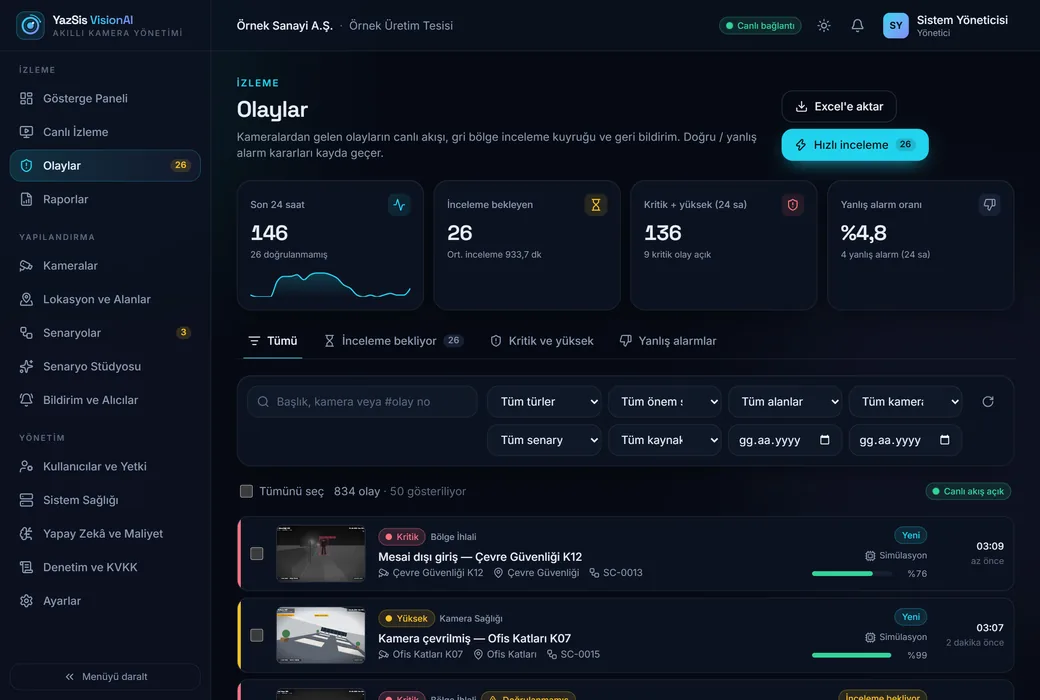
Live event feed, filtering, bulk actions, true and false alarm marking; uncertain events go to a person for confirmation.
Working in prototype
Notification rules and escalation
Rules by event type, area, severity and time; repeat cooldown, quiet hours, digest mode and escalation to a higher group when an event goes unreviewed.
Working in prototype
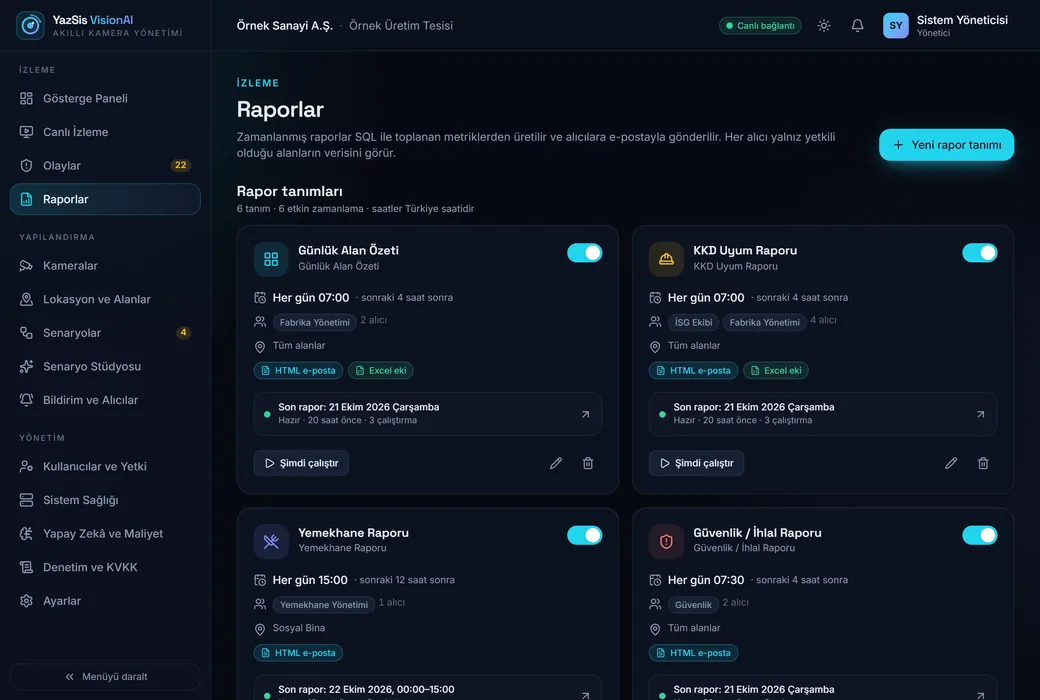
Scheduled reports
Six report types, daily, weekly and monthly; HTML and Excel output is sent by email, and each recipient sees only the areas they are authorized for.
Working in prototype
Permissions, audit log and retention
Role- and area-based permissions, an audit log of every write action, adjustable retention periods and deletion requests.
Working in prototype
Edge agent with outage-tolerant delivery
The on-site agent pulls its configuration from the center, sends event and metric data in batches and buffers locally during an outage. Today it runs in simulation mode.
Opens with pilot
Counting, occupancy and zone violation from real cameras
Rules for line crossing, occupancy, zone violation, dwell time and camera health are ready and tested; the first measurement with real cameras and a detection model takes place at the pilot site.
Roadmap
Helmet and vest (PPE) detection
The scenario and reporting side is ready; the required detection model will be prepared for the conditions of the pilot site. Accuracy is not shared until it has been measured on site.
Roadmap
Automatic face blurring in images
Automatic blurring of faces in event images before they are stored or shared.
Roadmap
Teaching by example with Scenario Studio
Defining a new situation with example images; the flow for collecting examples, labeling and KVKK approval exists in the prototype, but model training does not yet.
SCREENS FROM THE PROTOTYPE
One shared dashboard for occupational health and safety (OHS), security and facility teams.
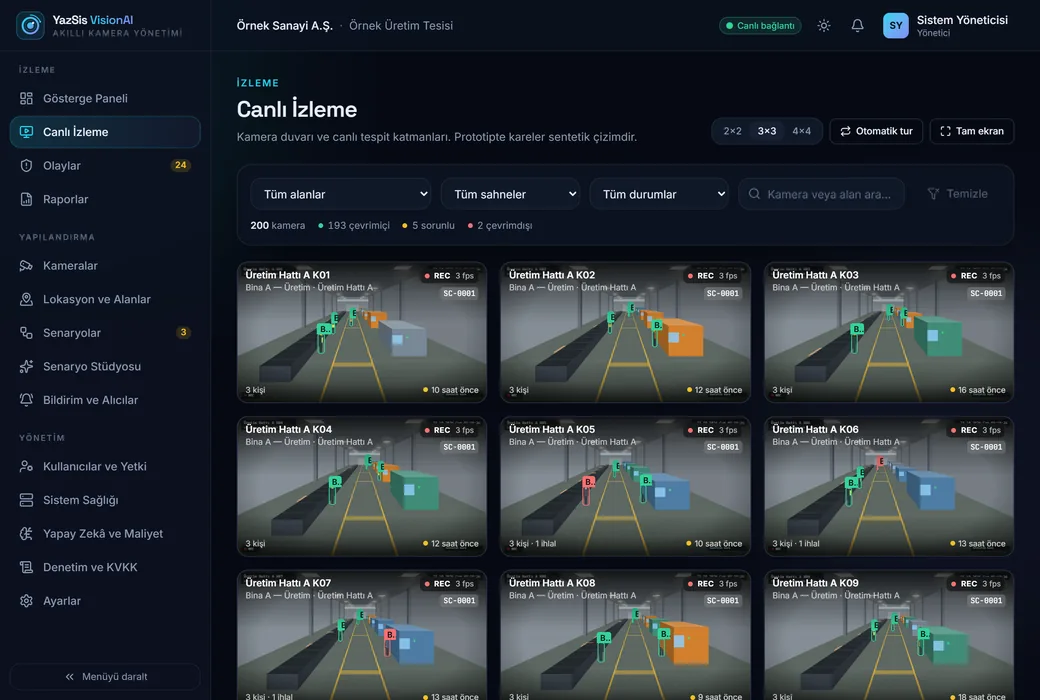
The frames are taken from the working prototype; the flows work, the numbers and camera frames are simulated.
visionai · prototip
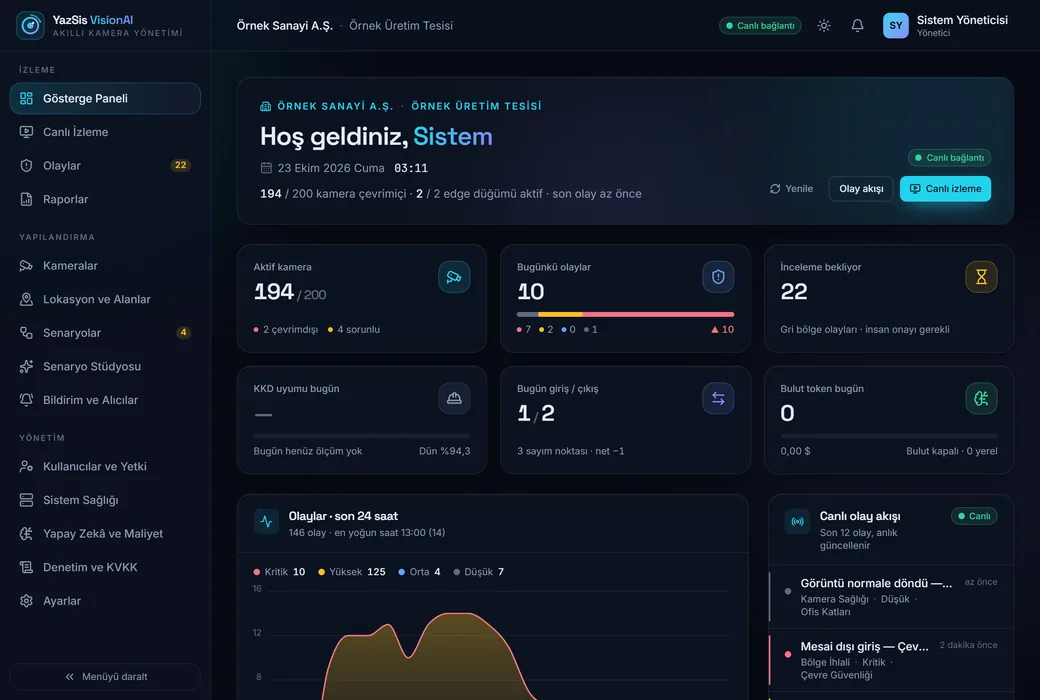
Screen 01 / 07Dashboard
Active cameras, today’s events, pending reviews, occupancy and scenario status on one screen; the numbers are simulated data.
The organization, facility, person and camera details on the screens are sample data; the camera frames are synthetic drawings.
AN HONEST STATUS
We tell you up front what is ready and what is on the way.
Today it is a working software prototype (v0.1): the dashboard, API and edge agent run on simulated data; it has not yet been tried with a real camera or a detection model.
The counting, occupancy and zone violation rules are ready and tested; accuracy and speed figures are shared only after they have been measured at the pilot site, with your cameras.
The model needed for helmet and vest detection and automatic face blurring in images have not been developed yet; both are on the roadmap.
It does not perform face recognition or identification; the edge agent sends event and metric data, not footage, to the center.
Designed with the principles of KVKK (Türkiye’s data protection law) in mind; legal compliance depends on the setup, the privacy notice and the contract, and is assessed together with you before the pilot.
It is a support tool: alarms alone should not be used as grounds for disciplinary action, and it does not replace OHS inspections or your network video recorder (NVR).
FREQUENTLY ASKED QUESTIONS
What people ask about YazSis VisionAI
What is YazSis VisionAI?
It is a smart camera management platform designed for IP cameras in factories, warehouses and logistics sites. It aims to let you define scenarios such as people counting, area occupancy, zone violation and helmet/vest compliance without writing code, and to follow events on the dashboard, in notifications and in scheduled reports. It is a YazSis brand.
What stage is it at today?
The management dashboard, API and edge agent form an end-to-end working prototype (v0.1) that runs on simulated data. The live camera feed and the detection model will come into play with the first pilot facility; accuracy and speed figures will be measured and shared then.
Does it perform face recognition?
No. Face recognition, identification and cross-camera person tracking are deliberately out of scope. Automatic face blurring in images is on the roadmap; today the edge agent does not send footage to the center.
Does our footage go to the cloud?
By design, analysis runs on the on-site server and the edge agent sends only event and metric data to the center. Sending footage to cloud AI is off by default; turning it on requires explicit approval and is recorded in the audit log.
Does it work with our existing cameras?
The goal is to work with existing IP cameras that provide an RTSP stream. Which cameras are suitable, along with viewing angle and resolution, is checked camera by camera in discovery before the pilot. Recordings stay on your existing network video recorder (NVR); VisionAI does not replace it.
How do I join the pilot program?
Write to us through the contact form and choose the topic “YazSis VisionAI”. We review your facility, camera infrastructure and priority scenarios together, then talk through the pilot scope.