
MODULE 06 / 33
Leave Management Software: Mobile Leave Requests and Multi-Level Approval
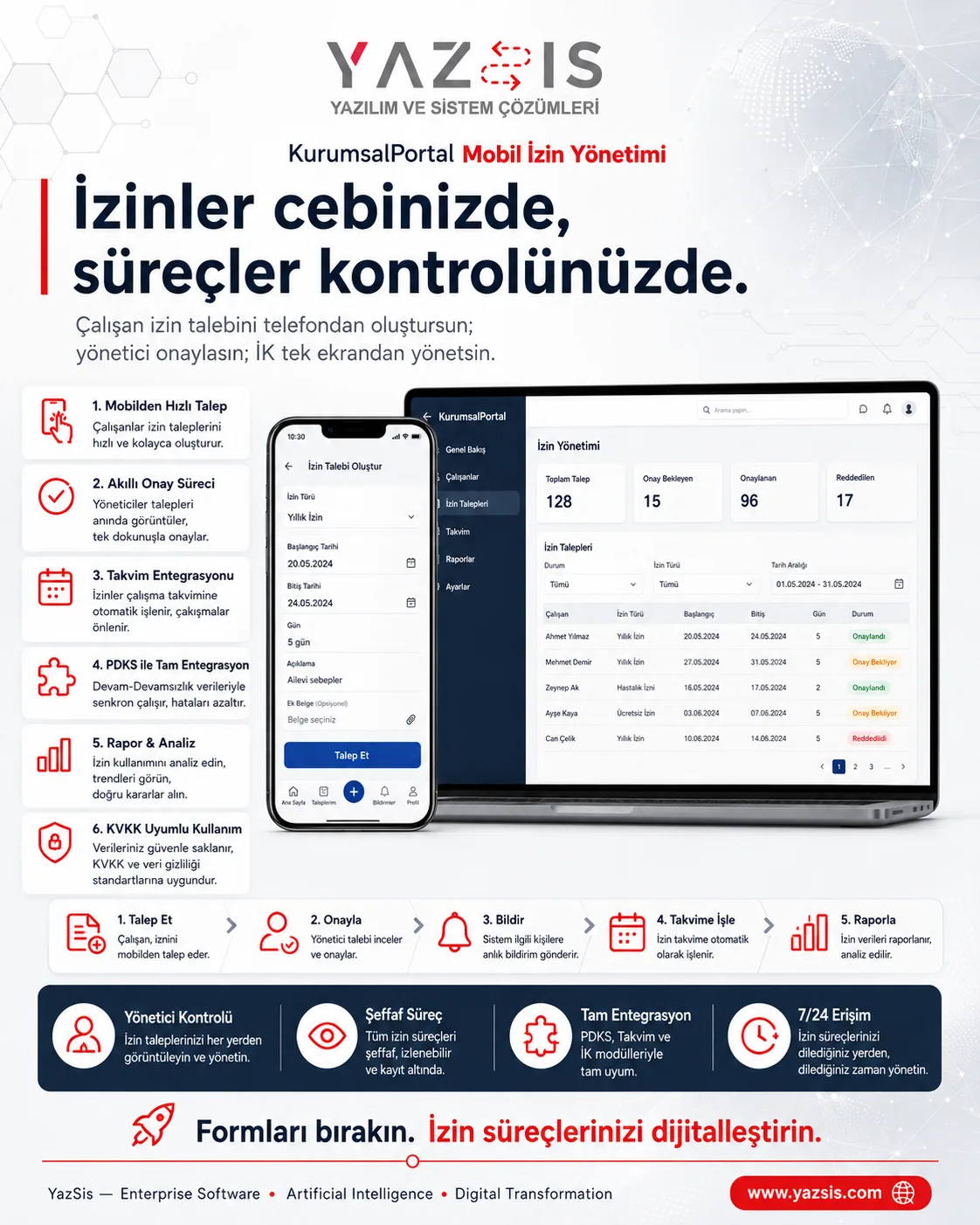
Take leave off paper and manage it from any device.Leave management software keeps leave requests, manager and HR approvals, remaining balances and the team calendar in one record. YazSis KurumsalPortal's Mobile Leave Management module runs this flow in the phone's browser, without installing an app. Each request is checked against the balance, goes through multi-level approval and is added to the calendar; data stays on your own server.
WHO IS IT FOR?EmployeesManagersHuman resources
YAZSIS / KURUMSALPORTAL
Human Resources
BUSINESS OUTCOMEDo more than keep records.
Do more than keep records.
Manage the process.
KurumsalPortal places every module into real operations through permissions, notifications, approvals, reporting and integrations.
CORE CAPABILITIES
Bring control into the system with Mobile Leave Management.
Every step is traceable with its owner, time, status and activity history.
Mobile leave requests
Employees create leave requests self-service from their phone's browser, without installing an app, and each request is checked against the remaining balance.
Multi-level approval flow
Requests go to the manager, then HR; leave is final only when the approval chain is complete, and every step stays on record.
Team calendar and current leave balance
Approved leave is added to the team calendar and the remaining balance updates, so employees, managers and HR work from the same current information.
HOW DOES IT WORK?
Register, track and deliver results in five steps.
Workflows adapt to your organization’s approval, role and notification rules.
CONNECTED, NOT ISOLATED
Data flow with other systems: let’s define the scope together.
KurumsalPortal works on its own. If you need data flow with your ERP, time-attendance, accounting or other systems, we define which data moves and how during the needs analysis.
Explore Our Integration CapabilitiesERPPDKSAPIMobile Leave ManagementEMAILSMSREPORT
WHERE IS THE DATA KEPT?
Your own server, role-based permissions.
Mobile Leave Management runs on the shared KurumsalPortal infrastructure: your data is kept on your own server, and employees use it from their phone's browser without installing an app.
See the installation and data modelFREQUENTLY ASKED QUESTIONS
Leave management software: frequently asked questions
How do employees request leave from their phones?
In YazSis KurumsalPortal's Mobile Leave Management module, employees sign in to the portal from their phone's browser and create a leave request, with no separate app to install. The request is checked against their remaining leave balance and then sent to their manager for approval.
How many approval levels does a leave request go through?
Approval in YazSis KurumsalPortal's Mobile Leave Management module is multi-level. In the basic flow, a request goes first to the employee's manager and then to HR, and the leave is added to the calendar once HR approves. Every approval step is kept on record.
How does the leave balance stay up to date?
In YazSis KurumsalPortal's Mobile Leave Management module, every request is checked against the remaining balance on creation, and approved leave is added to the calendar. Because the balance follows approved records, employees, managers and HR see the same current figures, and leave records export as XLSX reports.
Can Mobile Leave Management exchange data with our time-attendance (PDKS) or payroll system?
YazSis KurumsalPortal's Mobile Leave Management module handles the leave request, approval chain, balance and calendar inside the portal. Data exchange with a time-attendance (PDKS) or payroll system is possible when needed; which data is shared, by which method and in what scope, is defined together in the project.
NEXT STEP
Request a Demo