
MODULE 27 / 33
Shift Scheduling Software: Team Assignments, Overtime Approval and Conflict Checks
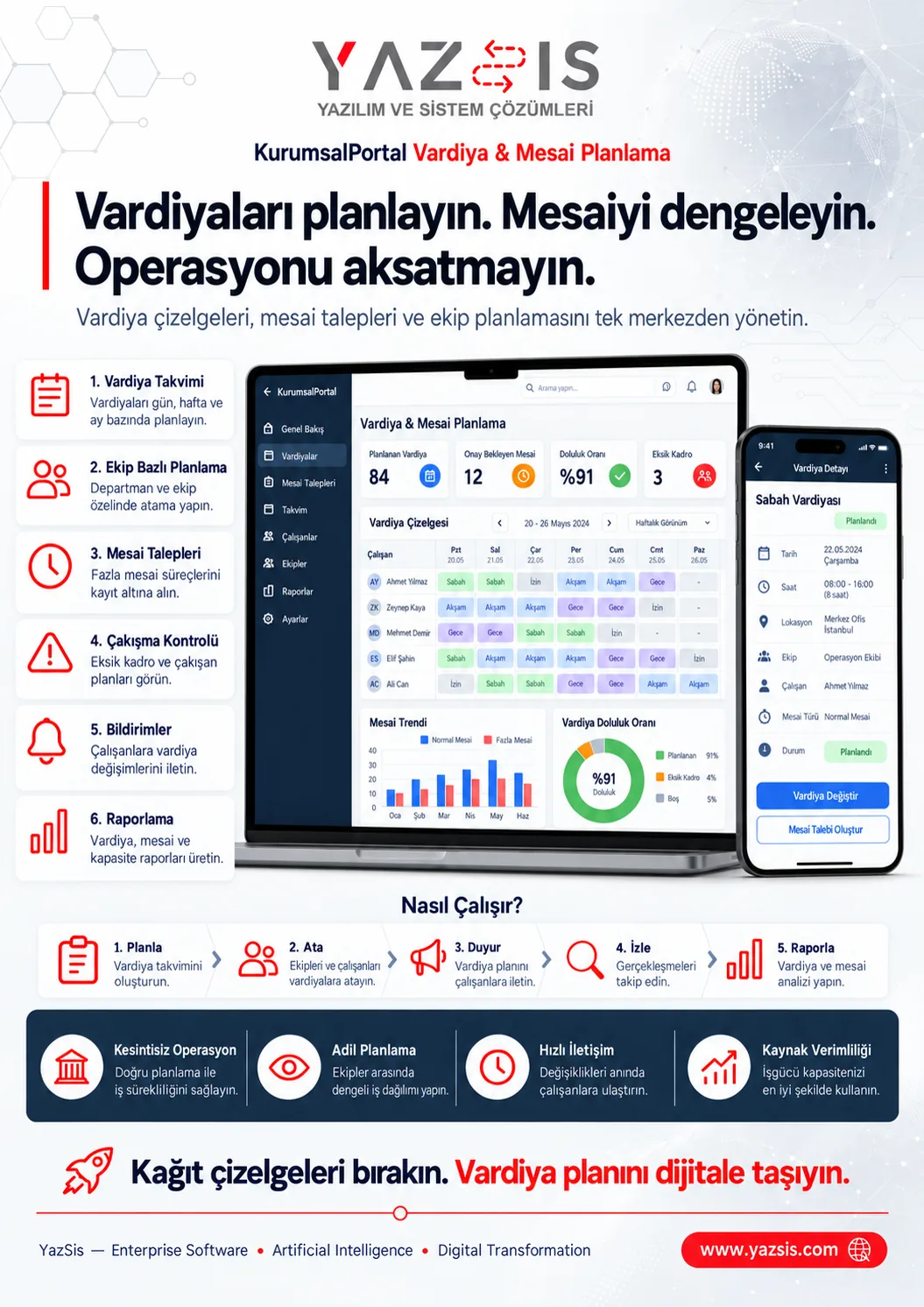
Plan shifts, balance overtime.Shift scheduling software creates daily, weekly and monthly shifts for your teams and keeps overtime and shift conflicts under control. YazSis KurumsalPortal's Shift & Overtime Planning module brings team assignment, overtime requests and approval, conflict checks and change notifications into one flow. In multi-shift operations such as factories, the team plan stays balanced and overtime stays current.
WHO IS IT FOR?Operations managersHuman resourcesEmployees
YAZSIS / KURUMSALPORTAL
Time & Performance
BUSINESS OUTCOMEDo more than keep records.
Do more than keep records.
Manage the process.
KurumsalPortal places every module into real operations through permissions, notifications, approvals, reporting and integrations.
CORE CAPABILITIES
Bring control into the system with Shift & Overtime Planning.
Every step is traceable with its owner, time, status and activity history.
Shift calendar and team assignment
Daily, weekly and monthly shifts are built on a calendar with staff assigned, so one plan shows who works which shift.
Overtime requests and approval
Overtime requests are recorded and pass through approval, keeping an up-to-date view of requested and approved overtime.
Conflict checks and reporting
Assignments are checked for shift conflicts, affected staff are notified of plan changes, and overtime reports keep the team plan balanced.
HOW DOES IT WORK?
Register, track and deliver results in five steps.
Workflows adapt to your organization’s approval, role and notification rules.
CONNECTED, NOT ISOLATED
Data flow with other systems: let’s define the scope together.
KurumsalPortal works on its own. If you need data flow with your ERP, time-attendance, accounting or other systems, we define which data moves and how during the needs analysis.
Explore Our Integration CapabilitiesERPPDKSAPIShift & Overtime PlanningEMAILSMSREPORT
FREQUENTLY ASKED QUESTIONS
Shift scheduling software: frequently asked questions
How is overtime approved?
In YazSis KurumsalPortal's Shift & Overtime Planning module, overtime is recorded as a request and goes through an approval step. Approved overtime is tracked and reported together with the shift plan, so operations managers and HR have a current view of approved overtime.
How do we avoid shift conflicts?
In YazSis KurumsalPortal's Shift & Overtime Planning module, the plan goes through a conflict check after team assignments are made. Conflicting assignments are spotted and corrected at this step, then the people affected are notified of the change. The module aims to plan teams, shifts and overtime without conflicts.
Are employees notified when their shift changes?
Yes. In YazSis KurumsalPortal's Shift & Overtime Planning module, change notification is a step in the planning flow: when the plan is updated, the employees concerned are notified. Employees know their current shifts, and operations managers and HR work from the same up-to-date plan.
How do we prepare a shift plan for a factory?
In YazSis KurumsalPortal's Shift & Overtime Planning module, you first create a daily, weekly or monthly shift plan, then assign the team. Assignments are checked for conflicts, staff are notified of changes and overtime is reported. This flow helps build a balanced team plan in multi-shift operations like factories.
NEXT STEP
Request a Demo