
MODULE 20 / 33
Role-Based Access Control: Who Sees What, and Who Can Do What?
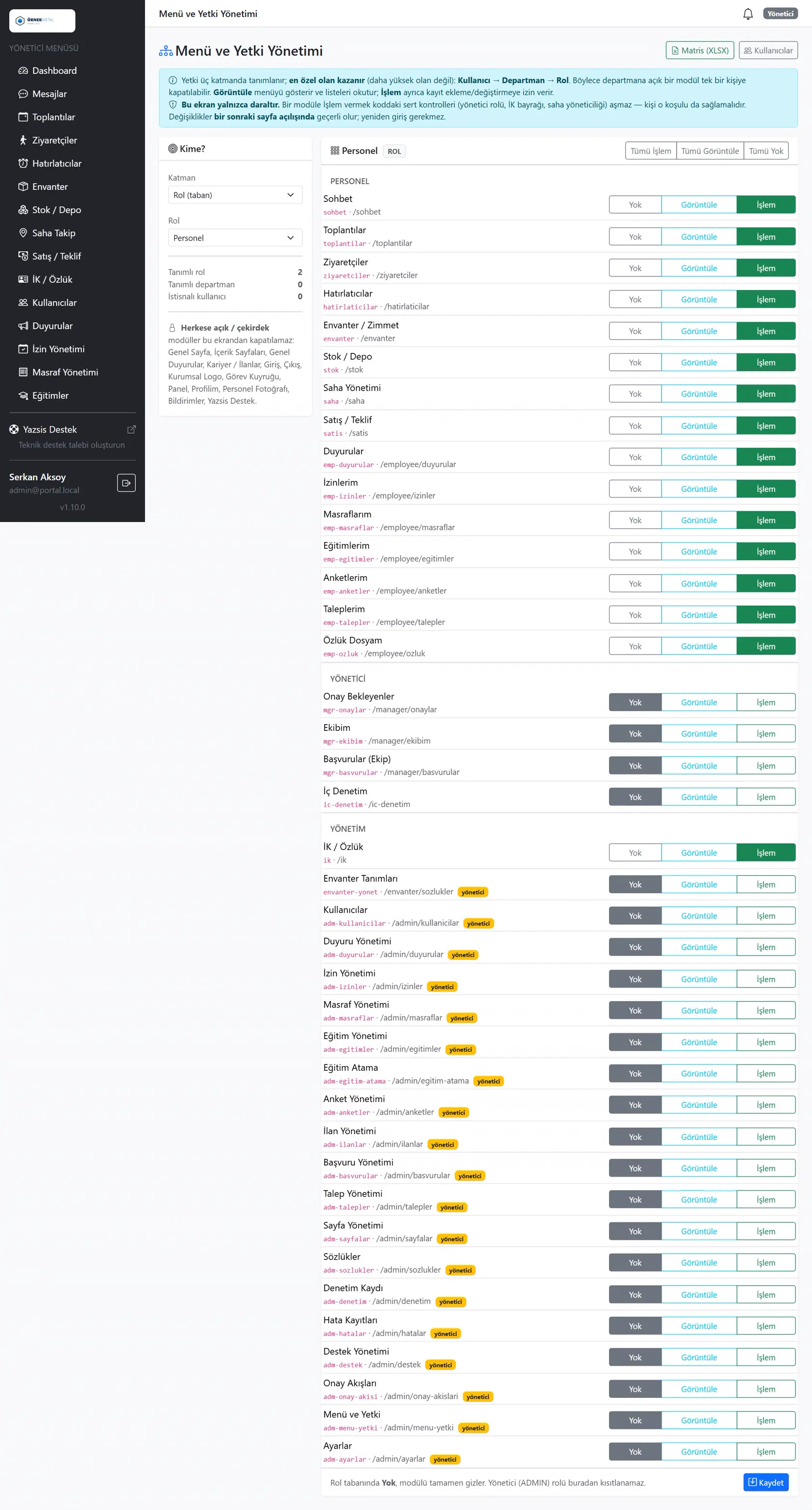
You decide who sees what and who can do what.Role-based access control is an access management approach that sets which menus users can see and which actions they can take at role, department and user level. YazSis KurumsalPortal's Menu & Authorization Management module defines view and action permissions separately, manages temporary access and keeps every permission change on record.
WHO IS IT FOR?System administratorsITProcess owners
YAZSIS / KURUMSALPORTAL
Management & Infrastructure
BUSINESS OUTCOMEDo more than keep records.
Do more than keep records.
Manage the process.
KurumsalPortal places every module into real operations through permissions, notifications, approvals, reporting and integrations.
CORE CAPABILITIES
Bring control into the system with Menu & Authorization Management.
Every step is traceable with its owner, time, status and activity history.
Role- and department-based permissions
Permissions are defined by role and department and assigned to users, so each employee sees only the menus their work requires, following least privilege.
Separate view and action permissions
Permission to view a record and permission to act on it are granted separately, so not everyone who sees data can change it.
Temporary access and permission logs
Temporary access can be granted for a set period, and every permission granted or revoked is recorded, so access changes can be audited later.
HOW DOES IT WORK?
Register, track and deliver results in five steps.
Workflows adapt to your organization’s approval, role and notification rules.
CONNECTED, NOT ISOLATED
Data flow with other systems: let’s define the scope together.
KurumsalPortal works on its own. If you need data flow with your ERP, time-attendance, accounting or other systems, we define which data moves and how during the needs analysis.
Explore Our Integration CapabilitiesERPPDKSAPIMenu & Authorization ManagementEMAILSMSREPORT
FREQUENTLY ASKED QUESTIONS
Role-based access control: frequently asked questions
Can view and action permissions be granted separately?
Yes. In YazSis KurumsalPortal's Menu & Authorization Management module, a user can get view-only permission for a menu, or permission to take actions in that menu can be defined separately. This separation helps keep sensitive data from being changed by more people than necessary.
Can we grant temporary permissions?
Yes. YazSis KurumsalPortal's Menu & Authorization Management module supports temporary access. For example, the person covering for a manager on leave can be given permissions for a set period. Temporary permissions are recorded just like any other permission change.
Are permission changes kept on record?
Yes. In YazSis KurumsalPortal's Menu & Authorization Management module, every change to role, menu and action permissions is recorded. System administrators and IT teams can use these records to audit who held which permission and when.
NEXT STEP
Request a Demo