
MODULE 08 / 33
Internal Audit Software: Audit Plans, Findings and Corrective Action Tracking
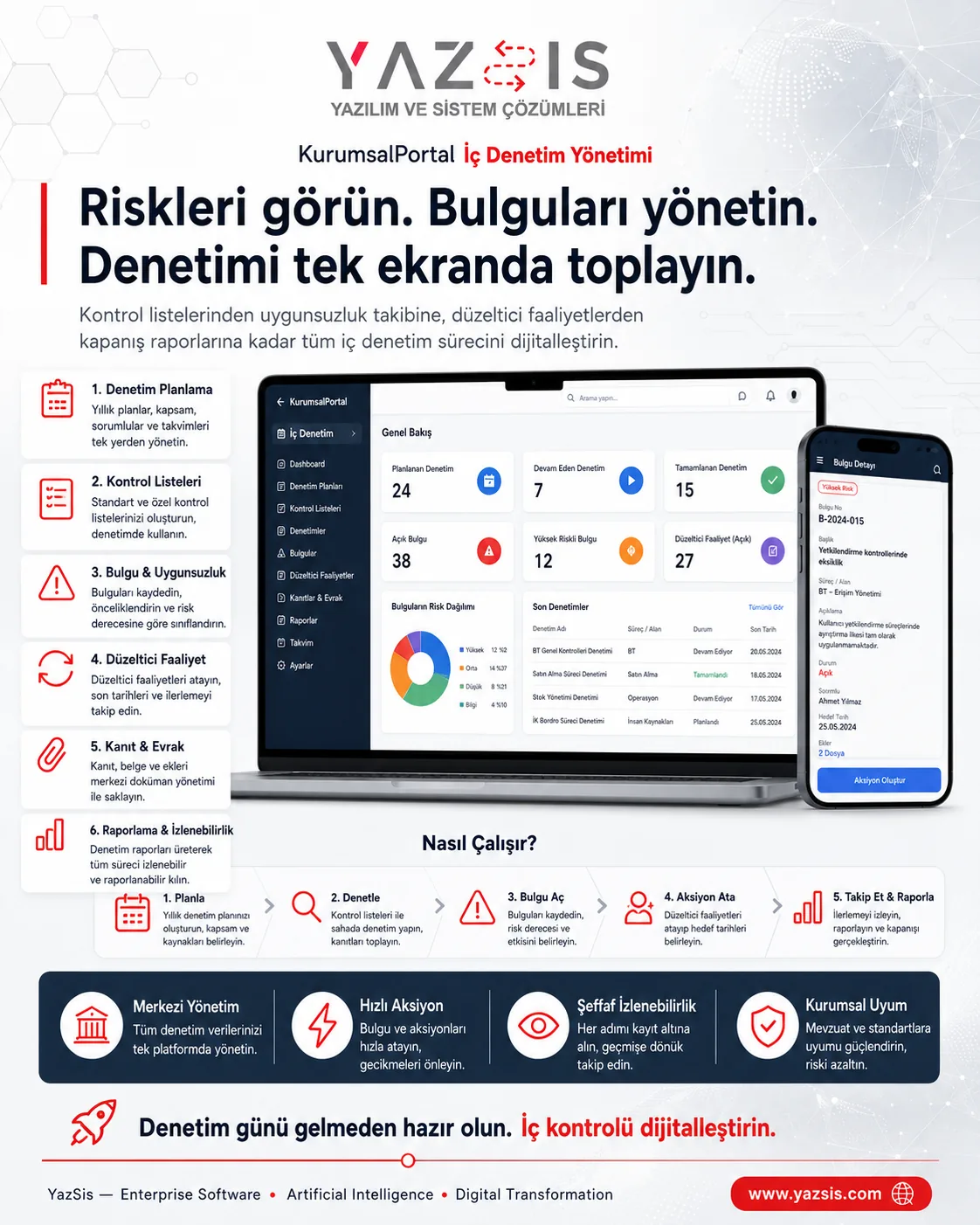
Turn audit findings into action instead of leaving them in a report.Internal audit software tracks audits run with plans and checklists, plus findings, nonconformities and corrective actions, in one chain of records. YazSis KurumsalPortal's Internal Audit Management module turns each finding into a corrective action with an owner, evidence and due date and tracks it until it is closed with evidence, keeping the audit trail transparent and recurring risks visible.
WHO IS IT FOR?Internal auditQualityUnit managers
YAZSIS / KURUMSALPORTAL
Audit & Compliance
BUSINESS OUTCOMEDo more than keep records.
Do more than keep records.
Manage the process.
KurumsalPortal places every module into real operations through permissions, notifications, approvals, reporting and integrations.
CORE CAPABILITIES
Bring control into the system with Internal Audit Management.
Every step is traceable with its owner, time, status and activity history.
Audit plans and checklists
Each audit is tied to a plan and carried out with a checklist, and the check results are collected in the audit record.
Findings and nonconformity records
Findings and nonconformities are recorded against their audit, so each finding becomes a trackable record rather than a line in a report.
Corrective action and evidence tracking
Each finding opens a corrective action with an owner and due date, which is closed by attaching evidence that the work is complete.
HOW DOES IT WORK?
Register, track and deliver results in five steps.
Workflows adapt to your organization’s approval, role and notification rules.
CONNECTED, NOT ISOLATED
Data flow with other systems: let’s define the scope together.
KurumsalPortal works on its own. If you need data flow with your ERP, time-attendance, accounting or other systems, we define which data moves and how during the needs analysis.
Explore Our Integration CapabilitiesERPPDKSAPIInternal Audit ManagementEMAILSMSREPORT
WHERE IS THE DATA KEPT?
Your own server, role-based permissions.
Internal Audit Management runs on the shared KurumsalPortal infrastructure: your data is kept on your own server, and employees use it from their phone's browser without installing an app.
See the installation and data modelFREQUENTLY ASKED QUESTIONS
Internal audit software: frequently asked questions
How does an audit finding become a corrective action?
In YazSis KurumsalPortal's Internal Audit Management module, an action is opened for every finding and assigned to an owner with a due date. When the work is done, evidence is added and the record closes with it, so every step from finding to closure stays in one audit chain.
Can quality and internal audit teams use the same system?
Yes. YazSis KurumsalPortal's Internal Audit Management module is designed for internal audit teams, quality teams and unit managers. Audit plans, findings and corrective actions sit in the same chain of records, so teams work with the same data, and role-based permissions determine who sees and does what.
How do we spot recurring nonconformities?
In YazSis KurumsalPortal's Internal Audit Management module, findings and nonconformities are recorded against the audit in which they were found, so you can track whether the same issue reappears in different audits. This visibility helps you notice recurring risks early and prioritize corrective actions.
NEXT STEP
Request a Demo